
Expose and Consume Flow Services as REST and SOAP APIs in IBM webMethods Integration (IWHI SaaS)
When developing integration flows in IBM webMethods Integration (IWHI / webMethods.io SaaS), you frequently need to expose a Flow Service to external or internal consumers. Depending on your consumers and architecture, you may need to expose the same integration flow as:
- A REST API with JSON request/response payloads.
- A SOAP Web Service (WSD) with SOAP 1.1 or SOAP 1.2 XML envelopes and WSDL definitions.
While both interfaces can execute the exact same underlying Flow Service, their runtime URLs, authentication models, and header requirements differ significantly in the SaaS environment.
This post covers:
- Exposing a Flow Service as a REST API and as a SOAP Web Service (Provider WSD).
- How to find and understand the runtime Endpoint URLs.
- How to configure authentication (OAuth 2.0 Scopes for REST vs. Instance API Keys for SOAP).
- How to call each service using cURL and Bruno.
- Key gotchas (SOAP 1.2 Content-Type vs SOAP 1.1 headers, 401/500 errors).
- How to invoke the SOAP service backend securely from an IBM API Connect (DataPower Gateway) assembly policy.
Architecture Overview
flowchart TD
    subgraph Consumers["API Consumers"]
        ClientREST["REST Client / App"]
        ClientSOAP["SOAP Client / Bruno / ESB"]
        APIC["IBM API Connect Gateway"]
    end

    subgraph IWHI["IBM webMethods Integration SaaS (IWHI)"]
        subgraph Endpoints["Endpoints & Security Layer"]
            RestEP["REST v2 Endpoint<br/>/integration/restv2/...<br/>(OAuth 2.0 Bearer)"]
            SoapEP["SOAP v2 Endpoint<br/>/integration/ws/v2/...<br/>(X-INSTANCE-API-KEY / Basic)"]
        end

        subgraph Core["Integration Core"]
            FSEcho["Flow Service:<br/>FlowsServiceEcho / flowEcho"]
        end
    end

    ClientREST -->|POST JSON + Bearer Token| RestEP
    ClientSOAP -->|POST SOAP 1.2 XML + X-INSTANCE-API-KEY| SoapEP
    APIC -->|Invoke with API Key + SOAP 1.2 Header| SoapEP
    RestEP --> FSEcho
    SoapEP --> FSEcho
1. Exposing a Flow Service
Suppose we have a simple Flow Service called FlowsServiceEcho (or flowEcho) under project ID fl6dc44d25a8:
- Input Document:
Inputcontaining a string fieldMessage. - Output Document:
Outputcontaining a string fieldecho.
Exposing as a REST API
- In the webMethods Integration navigation, open your Project and navigate to APIs → REST APIs.
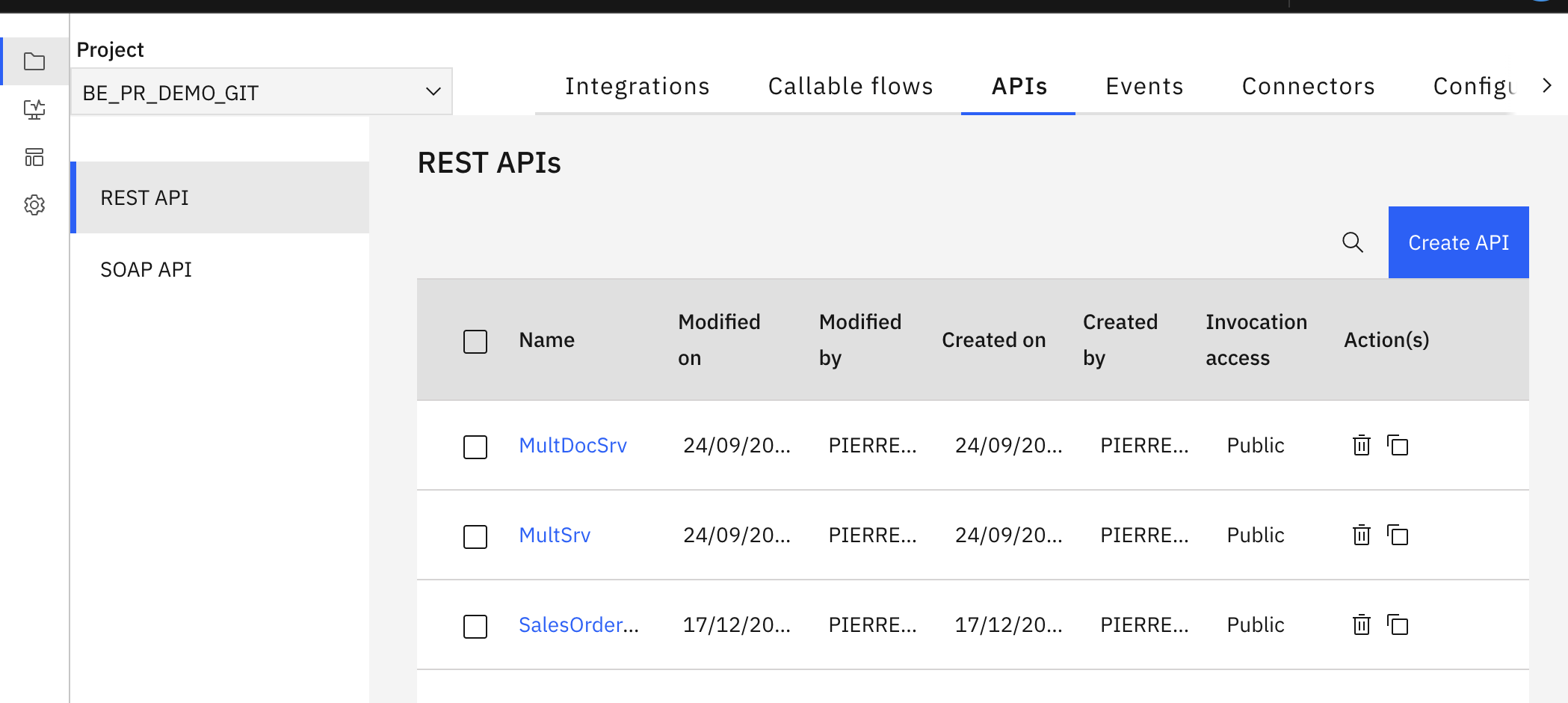 .
- Click Create REST API.
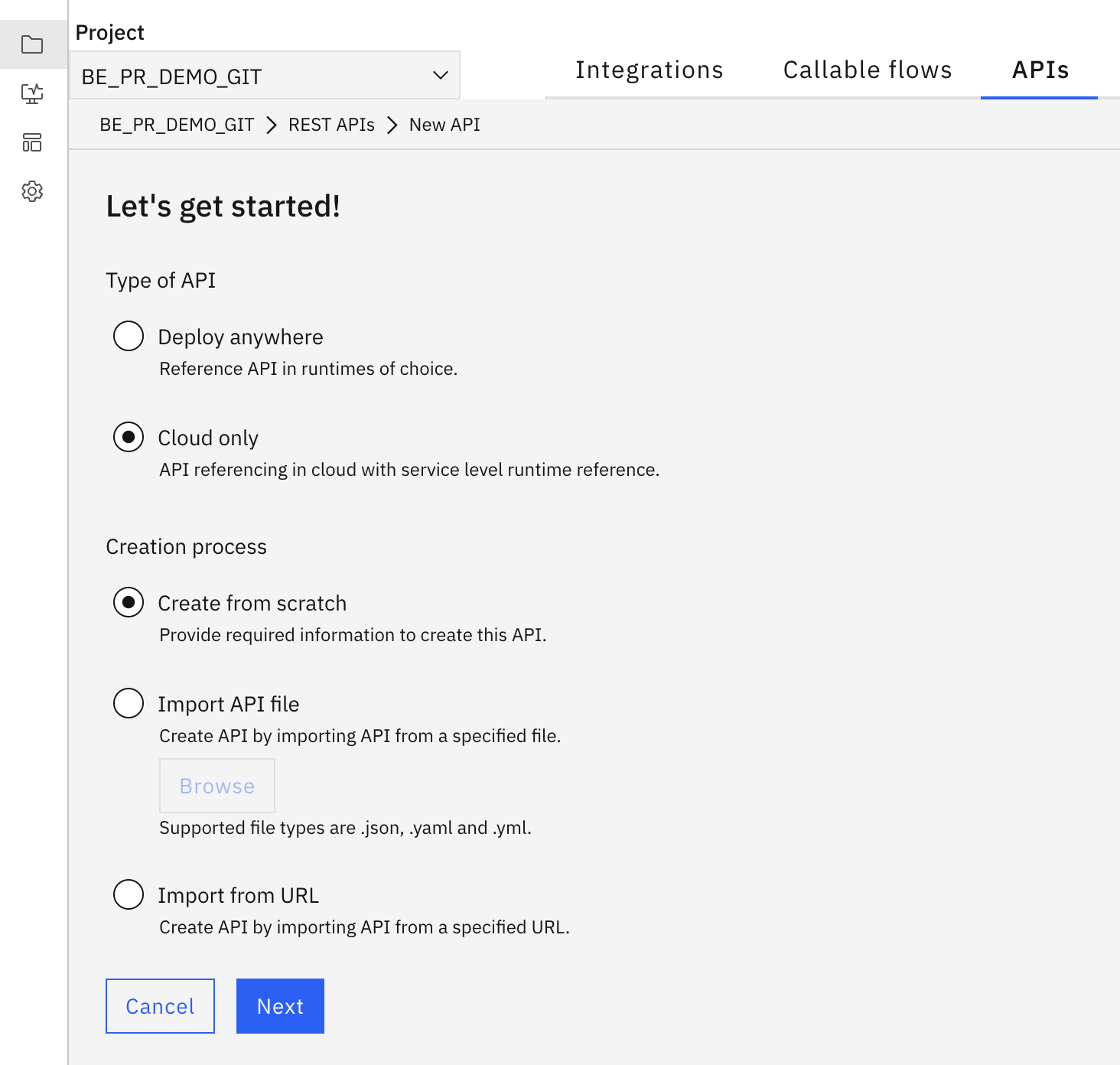 .
Select cloud or deploy anywhere based on the Wm FlowService type that you have created and want to expose.
Select “create from scratch”. - provide a name, and for the access network choose public.
- On the Resources and Methods click on add resource.
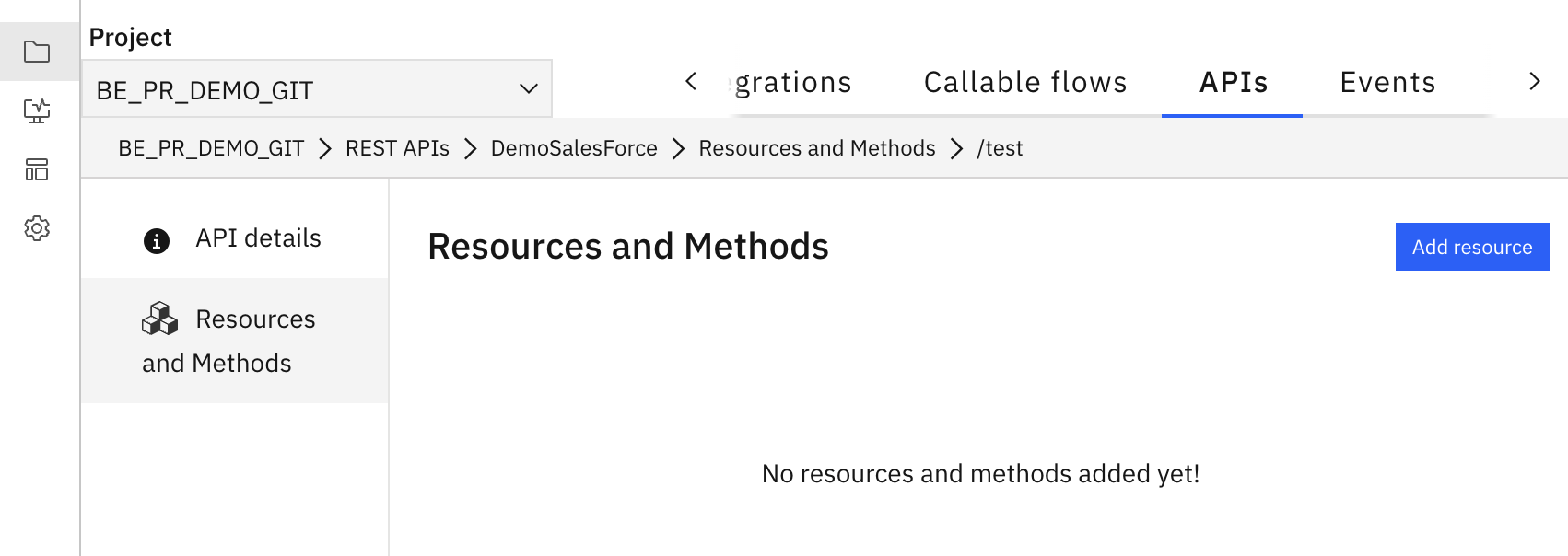 .
- Provide a path and select the operation to expose.
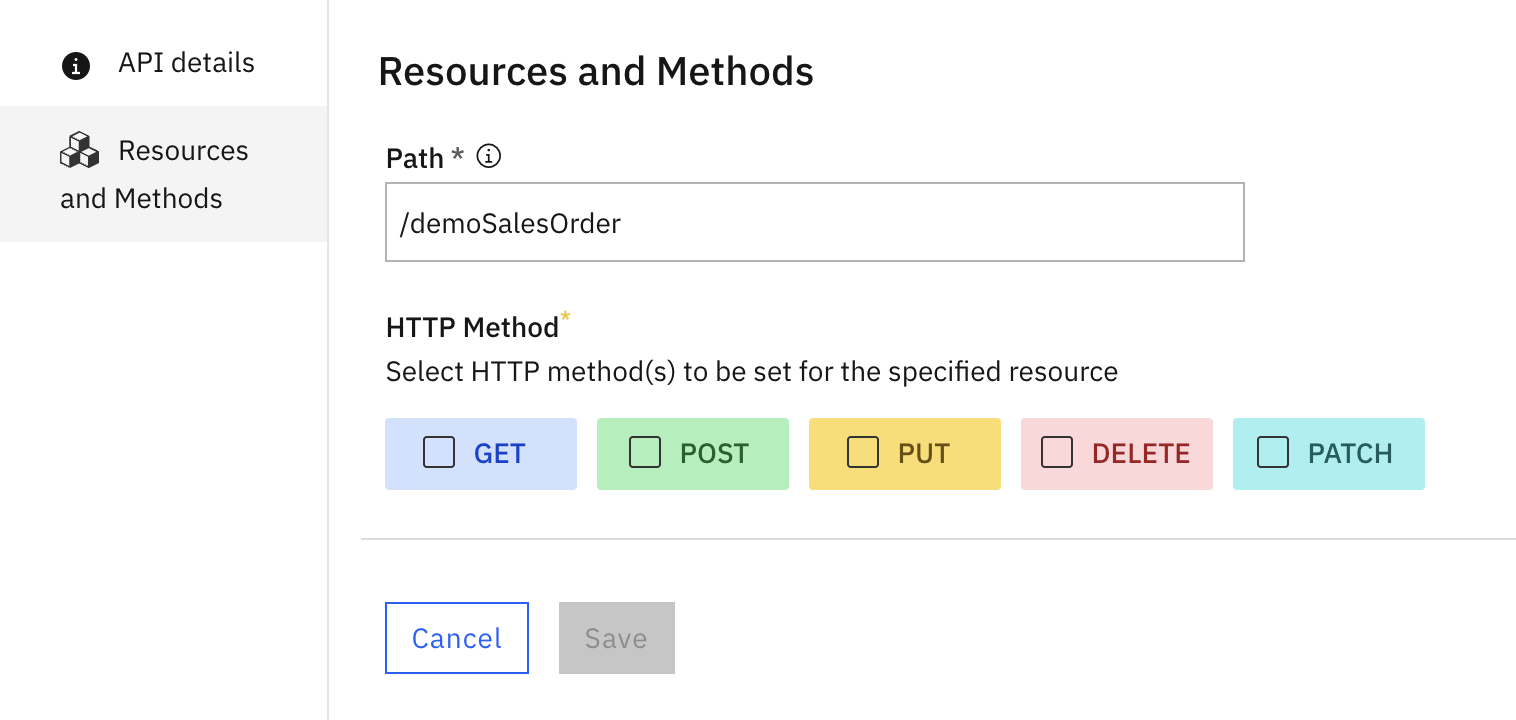 .
- Choose your flow service and done.
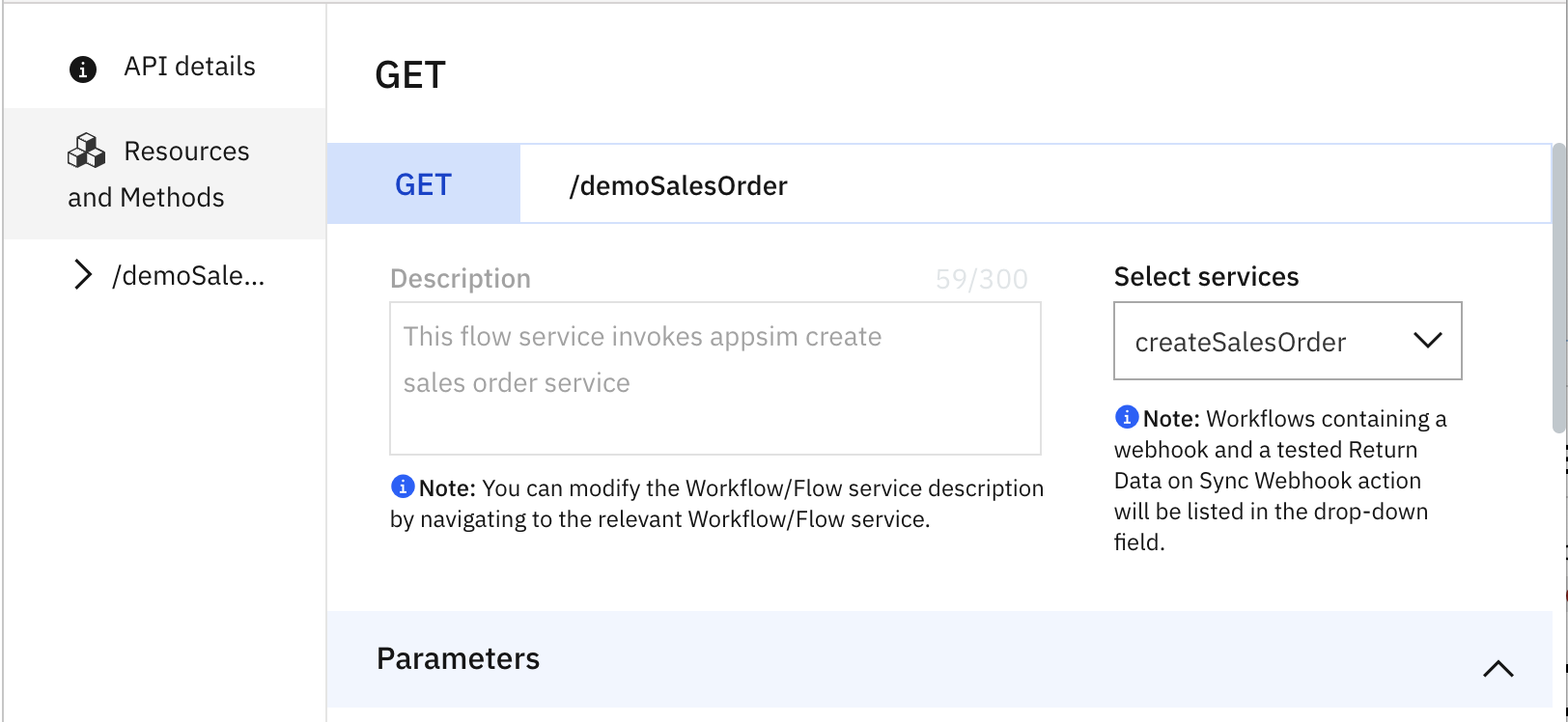 .
- save
Exposing as a SOAP API (Provider WSD)
- In your Project, go to APIs → SOAP APIs.
- Click Create API
- Choose From Scratch.
- Set the service name (e.g.,
EchoTestSoap)- select SOAP 1.2 (or SOAP 1.1)
- For the access network choose public.
- Select the flow service that you would like to expose
- Document/Literal.
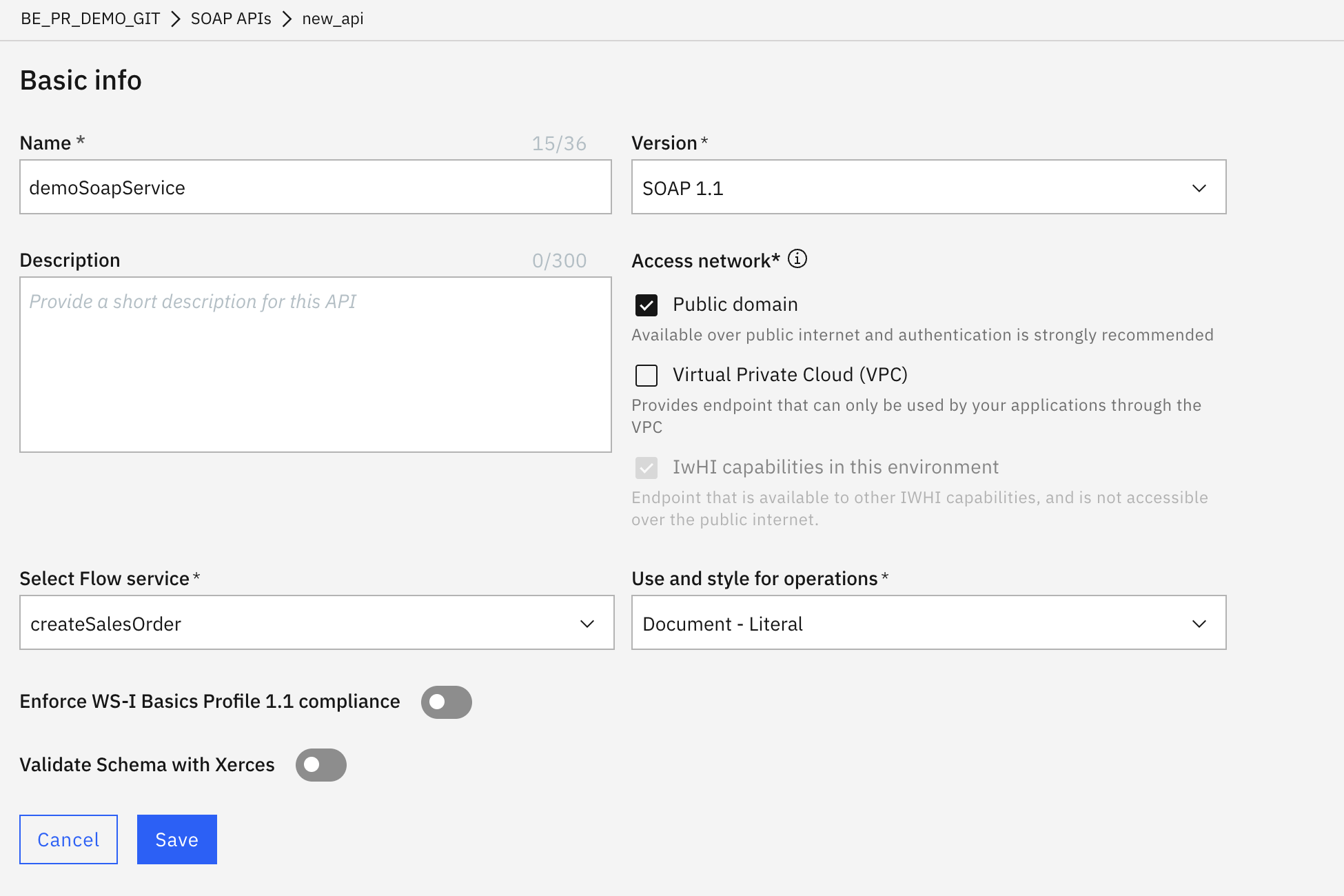 .
2. Finding the Runtime URLs
REST Endpoint URL
In webMethods SaaS, REST endpoints follow a stage-scoped path:
https://<TENANT-HOST>/integration/restv2/<STAGE>/<PROJECT_ID>/<REST_API_NAME>/<RESOURCE_PATH>
Example:
https://dev7963962.a-fra-c1.int.ipaas.automation.ibm.com/integration/restv2/development/fl6dc44d25a8/FlowsServiceEcho/echo
SOAP Endpoint URL
Open the downloaded WSDL file in an editor and scroll to the <wsdl:service> block at the bottom:
<wsdl:service name="EchoTestSoap">
  <wsdl:port name="EchoTestSoap_Port" binding="tns:EchoTestSoap_Binder">
    <soap12:address location="https://dev7963962.a-fra-c1.int.ipaas.automation.ibm.com/integration/ws/v2/fl6dc44d25a8/EchoTestSoap/EchoTestSoap_Port"/>
  </wsdl:port>
</wsdl:service>
The URL in soap12:address location is the target SOAP endpoint:
https://dev7963962.a-fra-c1.int.ipaas.automation.ibm.com/integration/ws/v2/fl6dc44d25a8/EchoTestSoap/EchoTestSoap_Port
3. Configuring Authentication & Credentials
Understanding the security separation between REST and SOAP in IWHI SaaS is critical:
| Feature | REST API | SOAP Web Service |
|---|---|---|
| Authentication Type | OAuth 2.0 Bearer Token | X-INSTANCE-API-KEY or HTTP Basic Auth |
| Scope Management UI | Under Settings → OAuth → Scopes | Directly authenticated by Runtime Key / Basic User |
| Header Used | Authorization: Bearer <token> |
X-INSTANCE-API-KEY: <key> |
A. Configuring OAuth 2.0 for REST APIs
- In webMethods Integration, navigate to Settings → OAuth 2.0 → Scope Management →

- Click Add new Scope, provide a name (e.g.
postEchoFs):- Select your REST API resource path:
/integration/restv2/development/fl6dc44d25a8/FlowsServiceEcho/.
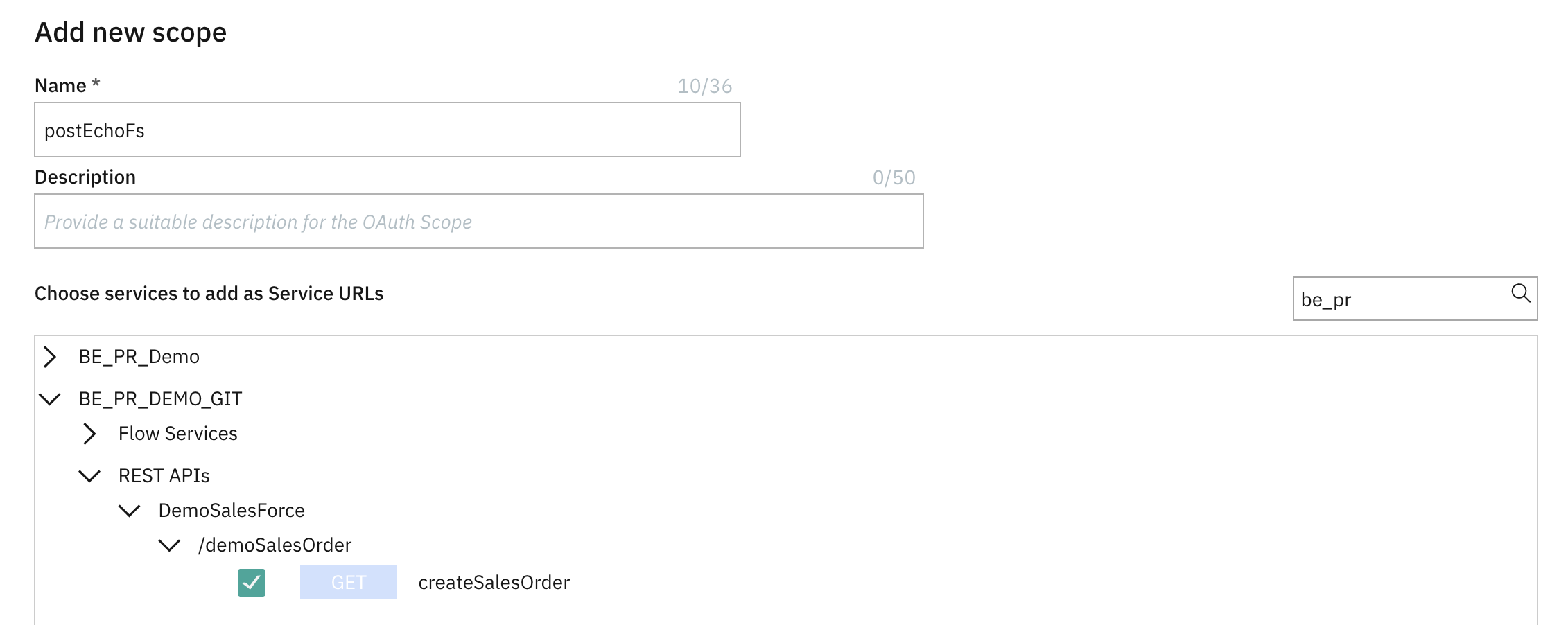 .
- Select your REST API resource path:
- Under Applications, register a client application
- A version
- type: Confidential.
- redirect url: for example: https://example.com*.
- grants: client credential grants.
- set the appropriate expiration.
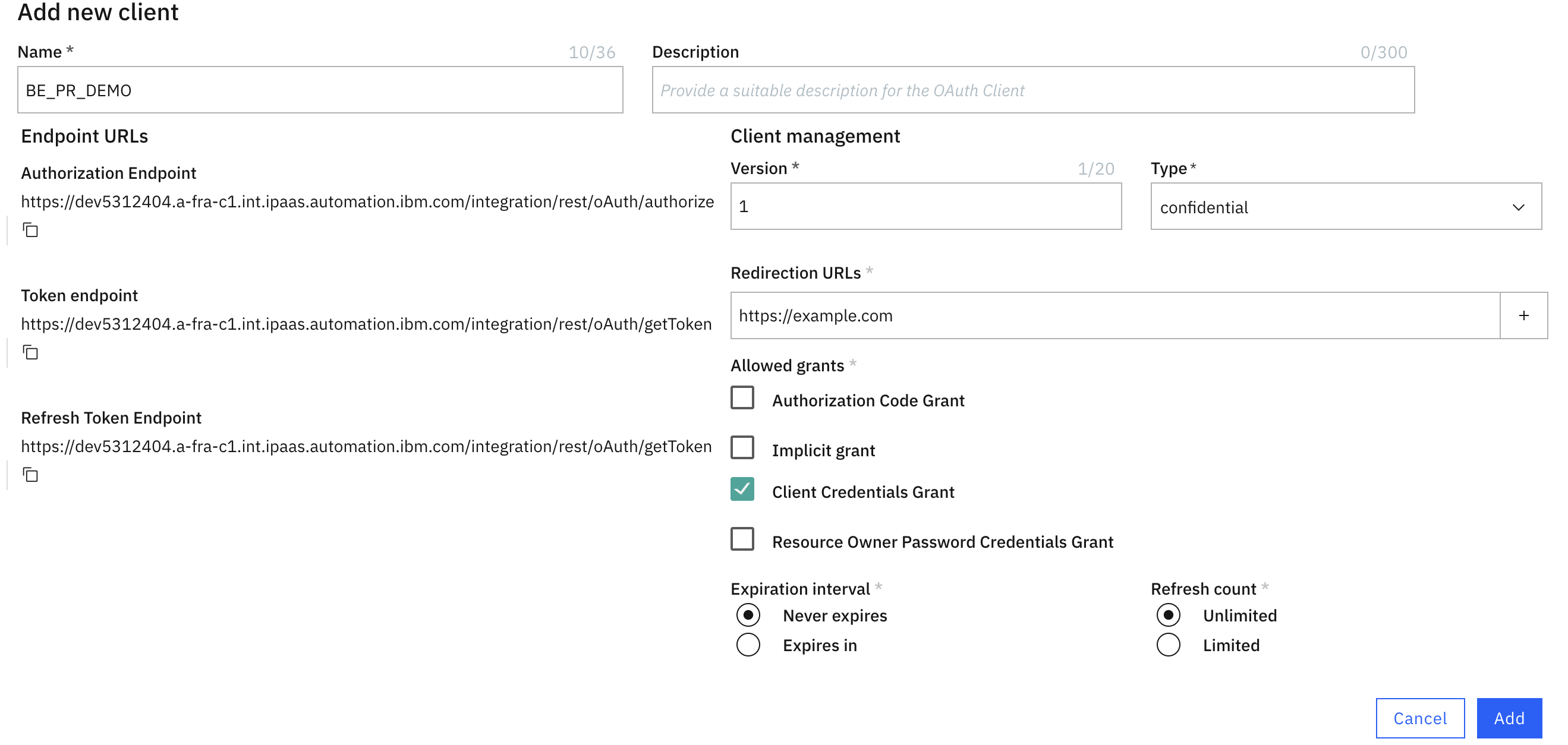 .
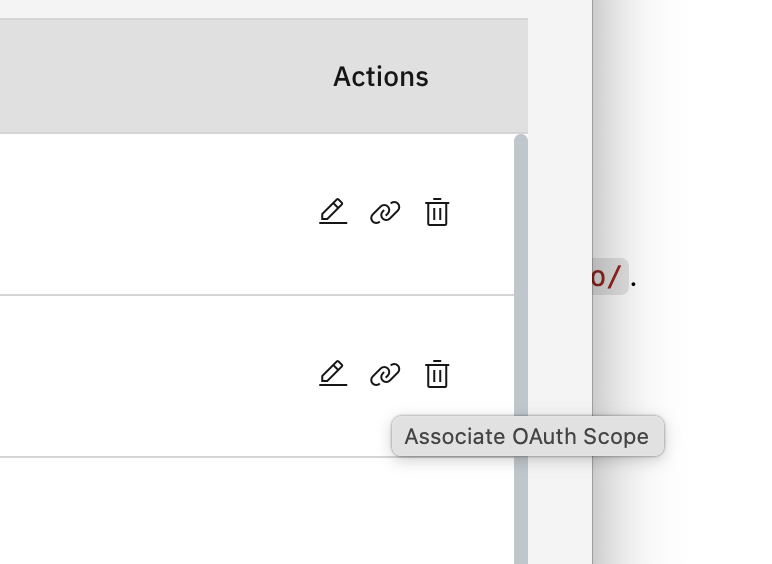
- In the client registration list, identify the one that you created and select to add a new scope.
 .
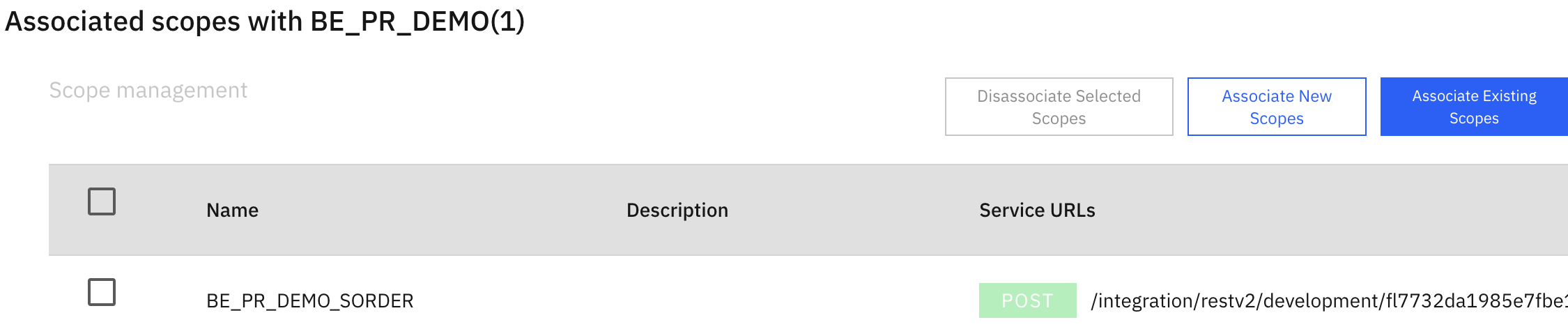
- Select associate new scope and select the scope that you created previously.
 .
- To get the client Id and Secret, edit your client registration.
- Request an OAuth token using the Client Credentials grant:
curl -X POST 'https://dev762.a-fra-c1.int.ipaas.automation.ibm.com/integration/oauth/token' \
  -H 'Content-Type: application/x-www-form-urlencoded' \
  -d 'grant_type=client_credentials&client_id=<CLIENT_ID>&client_secret=<CLIENT_SECRET>&scope=postEchoFs'
This returns an
access_token.
B. Configuring Instance API Key for SOAP Web Services.
Because the native SOAP runtime (/integration/ws/v2/...) does not participate in the REST OAuth scope mapping UI, you need to get an API Keys.
This API Keys can be created as follows (Note that you need proper rights to be able to access it).
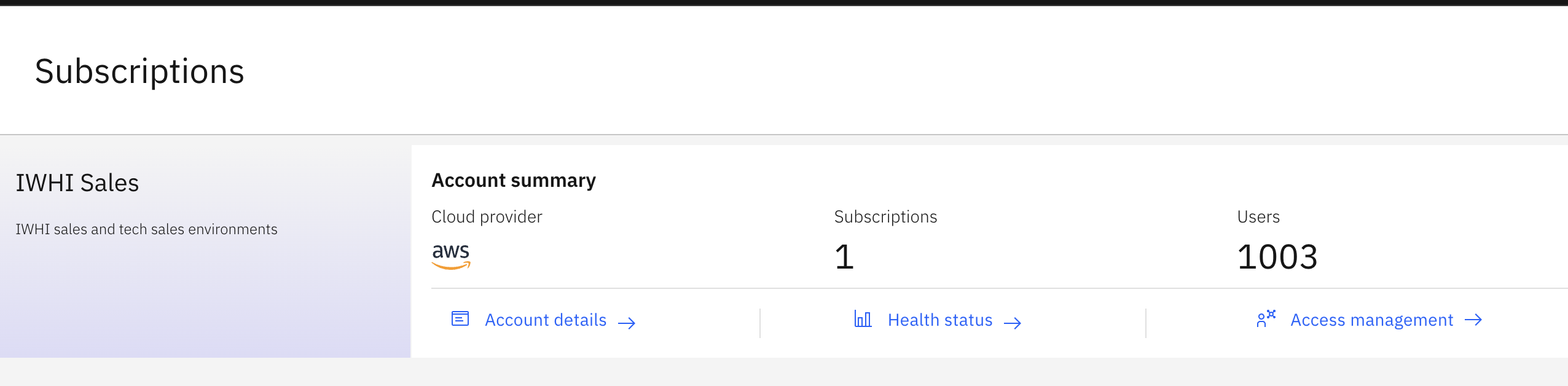
- accessing the manage environments → IBM SaaS Console.
 .
- Navigate to Access Management → API Keys (or Instance Keys).
- Generate an Key.
- Copy the resulting key string (e.g.
azI6ZWMzNDdiNTct...). - Pass this key in incoming SOAP requests via the
X-INSTANCE-API-KEYHTTP header.
4. Testing the Calls
Calling the REST API
Execute the following cURL command passing the OAuth bearer token:
curl -i -X POST 'https://dev62.a-fra-c1.int.ipaas.automation.ibm.com/integration/restv2/development/fl6dc44d25a8/FlowsServiceEcho/echo' \
  -H 'Authorization: Bearer 289d0654fdb24ff6a73c38a74c6d7d2010126' \
  -H 'Accept: application/json' \
  -H 'Content-Type: application/json' \
  -d '{"Message": "Hello from REST"}'
Response (HTTP 200 OK):
HTTP/2 200
content-type: application/json; charset=UTF-8

{
  "Output": {
    "echo": "Hello from REST"
  }
}
Calling the SOAP 1.2 Web Service
For a SOAP 1.2 service, the SOAP action must be included inside the Content-Type header parameter rather than as a standalone SOAPAction header:
curl -i -X POST 'https://dev792.a-fra-c1.int.ipaas.automation.ibm.com/integration/ws/v2/fa8/EchoTestSoap/EchoTestSoap_Port' \
  -H 'Content-Type: application/soap+xml; charset=utf-8; action="EchoTestSoap_Binder_flowEcho"' \
  -H 'X-INSTANCE-API-KEY: <YOUR-API-KEY>' \
  -d '<?xml version="1.0" encoding="utf-8"?>
<soap:Envelope xmlns:soap="http://www.w3.org/2003/05/soap-envelope" xmlns:ech="https://dev796.a-fra-c1.int.ipaas.automation.ibm.com/integration/wsd/EchoTestSoap">
  <soap:Header/>
  <soap:Body>
    <ech:flowEcho>
      <Input>
        <Message>Hello World</Message>
      </Input>
    </ech:flowEcho>
  </soap:Body>
</soap:Envelope>'
Response (HTTP 200 OK):
HTTP/2 200
content-type: application/soap+xml; charset=utf-8; action="https://dev79.a-fra-c1.int.ipaas.automation.ibm.com/integration/wsd/EchoTestSoap/EchoTestSoap_PortType/flowEchoResponse"

<?xml version='1.0' encoding='utf-8'?>
<soapenv:Envelope xmlns:soapenv="http://www.w3.org/2003/05/soap-envelope">
  <soapenv:Body>
    <ser-root:flowEchoResponse xmlns:ser-root="https://dev7.a-fra-c1.int.ipaas.automation.ibm.com/integration/wsd/EchoTestSoap" xmlns:xsi="http://www.w3.org/2001/XMLSchema-instance">
      <Output>
        <echo>Hello World</echo>
      </Output>
    </ser-root:flowEchoResponse>
  </soapenv:Body>
</soapenv:Envelope>
5. Common Pitfalls & Troubleshooting
Pitfall 1: SOAP 1.1 vs SOAP 1.2 Headers (500 Error)
If you send SOAP 1.1 headers (Content-Type: text/xml + SOAPAction: ...) to a SOAP 1.2 service, webMethods returns:
<soapenv:Fault>
  <faultcode>soapenv:Server</faultcode>
  <faultstring>Transport level information does not match with SOAP Message namespace URI</faultstring>
</soapenv:Fault>
Fix: Use Content-Type: application/soap+xml; charset=utf-8; action="<SOAP_ACTION>".
Pitfall 2: Bruno Configuration
In Bruno:
- Headers: Set
Content-Typetoapplication/soap+xml; charset=utf-8; action="EchoTestSoap_Binder_flowEcho". - Auth: Choose
API Key→ Key:X-INSTANCE-API-KEY→ Placement:Header. - Remove standalone
SOAPActionoractionheaders.
6. Calling the Service from IBM API Connect (DataPower Gateway)
When using IBM API Connect (v10 / DataPower Gateway) to orchestrate or proxy calls to this webMethods SOAP backend, configure a set-variable policy before the invoke policy:
                  - set-variable:
                      version: 2.0.0
                      title: Set Headers for webMethods SOAP
                      actions:
                        - set: message.headers.X-INSTANCE-API-KEY
                          value: azI6ZWMzTVU9
                          type: string
                        - set: message.headers.Content-Type
                          value: 'application/soap+xml; charset=utf-8; action="EchoTestSoap_Binder_flowEcho"'
                          type: string
                  - invoke:
                      title: 'flowEcho: invoke'
                      target-url: https://dev79.a-fra-c1.int.ipaas.automation.ibm.com/integration/ws/v2/fl/EchoTestSoap/EchoTestSoap_Port
                      verb: POST
                      timeout: 60
                      version: 2.0.0
                      cache-response: protocol
                      cache-ttl: 900
                      stop-on-error:
                        - ConnectionError
                        - OperationError
                      header-control:
                        type: blocklist
                        values: []
                      parameter-control:
                        type: blocklist
                        values: []
Summary
- REST APIs in IWHI SaaS are best suited for modern web/mobile apps and participate in the built-in OAuth 2.0 Scope model.
- SOAP Services (WSD) are directly hosted on the integration engine (
/integration/ws/v2/...) and authenticate viaX-INSTANCE-API-KEYor Basic Auth. - For SOAP 1.2, ensure your client sends
Content-Type: application/soap+xml; charset=utf-8; action="..."to avoid SOAP transport namespace mismatch faults.
Leave a comment